Monetization Strategies for Food Bloggers
Pinterest expert Nadalie Bardo breaks down 2026 algorithm changes, AI-modified pin labels, keyword strategy, and seasonal batching for food bloggers.
Listen on the player in this post or on Apple Podcasts, Spotify, YouTube or your favorite podcast player. Or scroll down to read a full transcript.
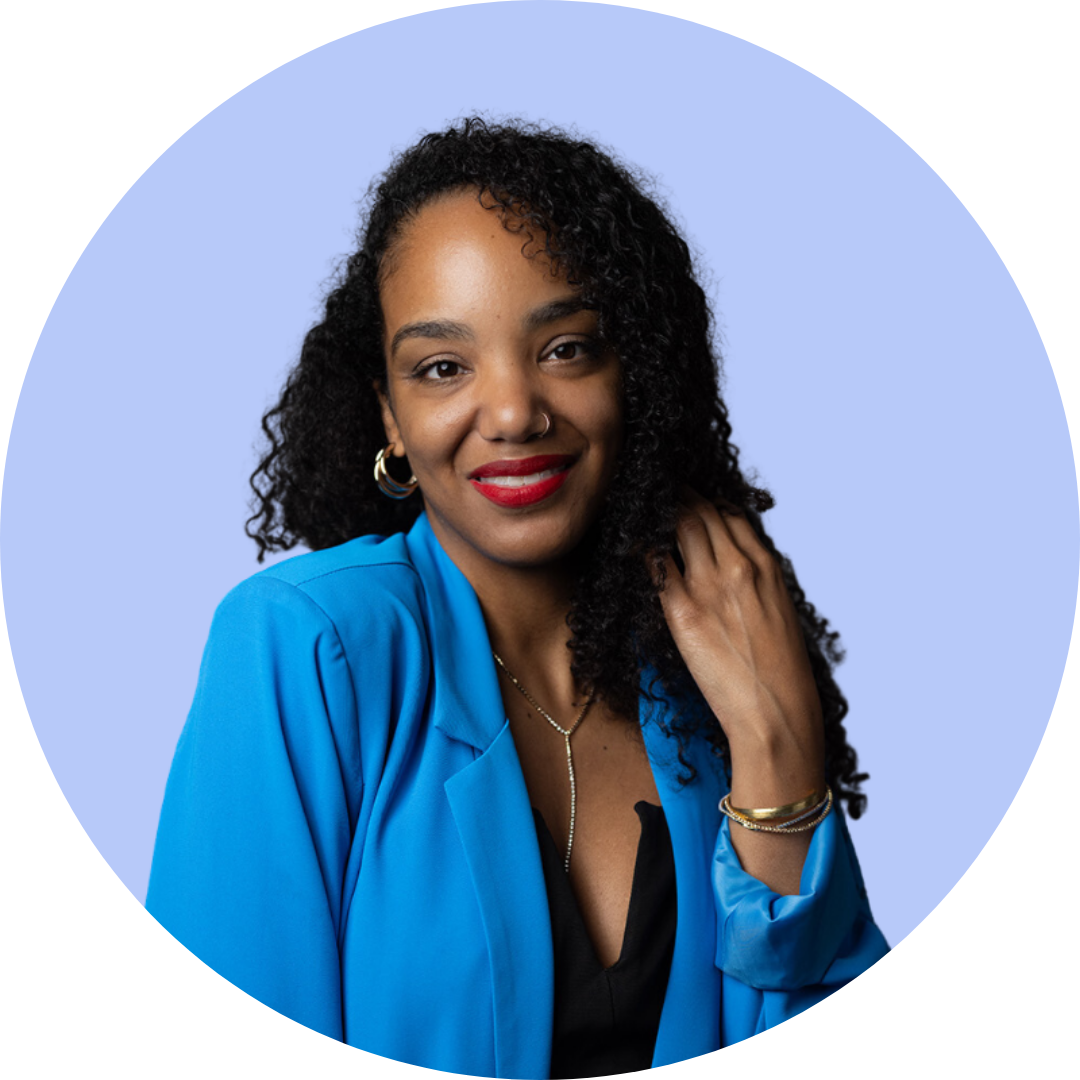
Nadalie Bardo simply loves Pinterest. As a blogger, she achieved 1 million views on Pinterest in her first month, organically grew her email list to 24K subscribers, and gained 1000s of happy customers. With eight years of Pinterest marketing experience, she has taught over 10,000 blogs, brands, and businesses through her online courses and coaching. As Your Pin Coach, Nadalie is here to help you increase your traffic, grow your audience, and boost your sales for free with Pinterest. No ads are required!
Takeaways
- Algorithm updates cause temporary dips, but accounts built on keyword-first fundamentals bounce back.
- Pinterest still outperforms YouTube, Instagram, and Facebook for organic reach with minimal ongoing effort.
- Always research keywords directly in the Pinterest search bar before designing a pin, not just for Google.
- Design multiple pins per post, each targeting a different long-tail keyword and matching image style to what’s already ranking for that search.
- Real, original photos give creators an edge over AI-generated “slop” and hold up better as Pinterest cracks down on AI content.
- Skip repinning — optimize the pin, board, and keywords up front and let the algorithm do the rest.
- Wait at least seven days before sharing the same link again to avoid a repetitive, same-same profile.
- Take a seasonal approach to batch-designing pins, working 60-90 days ahead of upcoming holidays or seasons.
- Build Pinterest boards as you go instead of creating empty ones, and give each board a keyword-rich name and description.
- Batch pin design in one sitting rather than a little each day to hit flow state and work faster.
Resources Mentioned
Transcript
Click for full script.
EBT815 – Nadalie Bardo
Intro 00:00
Food bloggers. Hi, how are you today? Thank you so much for tuning in to the Eat Blog Talk podcast. This is the place for food bloggers to get information and inspiration to accelerate your blog’s growth, and ultimately help you to achieve your freedom. Whether that’s financial, personal, or professional. I’m Megan Porta. I have been a food blogger for 13 years, so I understand how isolating food blogging can be. I’m on a mission to motivate, inspire, and most importantly, let each and every food blogger, including you, know that you are heard and supported.
[00:01] Megan Porta
Natalie, welcome back to the podcast. It has been so long since I’ve had you on. How are you?
[00:06] Nadalie Bardo
So good. It’s funny — it’s like we were pre-AI.
[00:07] Megan Porta
Yeah.
[00:10] Megan Porta
I know. Pre-video, pre-AI, pre a lot of things. So yes, here we are in the new era. Well, welcome. Today we’re gonna talk about Pinterest — we’re just gonna go through all the things. You’ve got the scoop for us on all the things. But before we do that, do you just want to give people a little background on who you are and what you do?
[00:14] Nadalie Bardo
Mm.
[00:30] Nadalie Bardo
Sure — hey everyone, I’m Nadalie Bardo. I love to say I’m your Pin Coach. I just love Pinterest. It sounds cliché, but it was love at first click. When I started my first blog ten years ago, Pinterest was the only platform that did anything for me. And since then I’ve just really dived in. I became your Pin Coach because, in a way, I cracked the code, and I was encouraged to create an online course. It’s been wonderful — fast forward seven, eight years since I’ve been doing this officially, I’ve helped thousands of creators, sellers, and online businesses really learn how to use Pinterest in a sustainable way to drive traffic, subscribers, and sales with really and truly just a few focused hours a month. It’s a platform that will love you for a long time — your clicks don’t disappear, your posts don’t disappear into the void, which is something I’m realizing with social media as I’ve launched into my own social media era. Pinterest is great.
[01:43] Megan Porta
Yeah. And especially for food creators, I’ve always said this — there’s no better way to display what we offer than through Pinterest, because it’s such a visual, mouthwatering platform, and people go there to kind of drool over the food and click and make. So I feel like it’s just such a natural fit for us. Okay, well let’s talk about the state of Pinterest right now. You told me before recording that you kind of took a break and now you’re back into it. What did you see, I guess, when you came back into the world of Pinterest?
[02:17] Nadalie Bardo
Yeah, just a personal break, not a break from teaching. I think there was a big algorithm update earlier this year, and a lot of people saw shifts in their traffic, in their views. And that happens with any algorithm update on any platform — the algorithm is retooling and deciding whose pins they want to show to whom. That’s literally all the algorithm is doing: trying to find the most helpful pins. And during that algorithm shift, you will see your views fall, you will see shakeups in pin rankings. But if you’ve held true to the cornerstones of good Pinterest marketing — which is keyword first, which is literally just giving the platform what it wants, and we’re gonna dive into that and dissect what that means for you — you will bounce back. You will have a long relationship with Pinterest that one algorithm update can’t destroy, that AI can’t take away from you. Because, like we said, AI wasn’t a thing when we did my previous interview, but it is now, and I think AI is becoming a problem for many platforms. Pinterest is taking small steps to reduce AI’s distribution — I hope they take some more steps still — but when we look at Pinterest in comparison to our other options, I like to say: what’s your other option? There’s YouTube — do you want to make videos? And as soon as you stop posting, you stop ranking. Do you want to go on Instagram, where there are literally studies showing that organic reach is falling year over year? What are we gonna do, Facebook? You can’t even post links in your own groups anymore — what’s going on over there? So I say, what is the alternative? This platform, to me, still stands heads and shoulders above the competition in terms of what you can get in traffic, in organic growth, with just a little bit of effort.
[03:56] Megan Porta
Yeah.
[04:43] Megan Porta
Okay, well let’s talk about what that little bit of effort is, because I feel like this is what gets people hung up. I know I need to publish to Pinterest often in order to create a robust account, but people don’t want to put the time into it. So they just don’t do it. So what does that entail these days?
[05:07] Nadalie Bardo
Yeah, so let’s talk about the basics. You’re listening to this because you’re likely a food blogger, so I’ll assume you have some posts published on your site already. The best use of your time — the way to tackle Pinterest — is to, one, figure out what your keywords even are. If you’ve been doing this for Google, like Megan was saying earlier, optimizing your content for Google is still a thing you do. You just want to make sure that for every link, you know which is the best long-tail keyword you’re targeting for that article. You’re gonna design a few pins per post — that’s gonna be the best use of your time. Don’t just share it once. And when it comes to designing pins, you really need to check the search results and see what the algorithm wants for that specific keyword. When it comes to food content, typically we see a collage pin with two or four images of the recipe. Or, for certain keywords, I’m even seeing they want almost like an infographic that shows the exact recipe on the pin — that’s what’s ranking. For other keywords, it’ll be a little video. So you really just need to be search-result-focused when it comes to your Pinterest marketing strategy. We cannot attempt to have success on a platform in isolation from that platform. The first place you should always look for your keywords is the Pinterest search bar, and to decide what your pin should look like, you should go look at the search results. And when it comes to being consistent, I think we still have this old-world idea of pinning in our minds. It’s not 2019 anymore — no one should be telling you to pin 20 times a day. Consistency for you can look like: okay, I can manage one pin a day, I’m gonna schedule them out. Once that becomes manageable, let me do two or three. You’re not out here trying to do the most — you’re trying to do what matters. And what matters is actually having a strategy and knowing what the search engine — Pinterest — wants for the particular keywords that match whatever type of recipes or food content you’re creating. Does that make sense?
[07:36] Megan Porta
Yeah, that does make sense. Are you finding that longer-tail keywords are working better? So the more specific you get about your chocolate chip cookies, the more likely you are to be found on Pinterest right now?
[07:50] Nadalie Bardo
Like 100%. I’d say that’s true for most keywords — except you don’t want to be so specific that nobody’s searching for you.
[07:58] Megan Porta
Mm, yeah.
[07:59] Nadalie Bardo
So it’s that balance between being specific enough that I actually have the opportunity to rank at the top of these search results, but not so specific that no one is searching for it. And the benefit of Pinterest marketing is that you could have that one chocolate chip recipe — maybe it’s an easy bake, maybe you can also do it in an air fryer, it takes 15 minutes, whatever the special take on these chocolate chip cookies is. You’re gonna design multiple pins per link. So you could have one pin targeting people who want to make chocolate chip cookies in their air fryer, and you could also target people who are looking for 15-minutes-or-less recipes. That’s one long tail, that’s a second long tail, and it’s all going back to the same recipe.
[08:55] Megan Porta
Okay. Ooh, I’ve never thought of it like that before, actually — that’s really good. So the pin kind of matches the long-tail keyword, so you can alter the text on the pin, and also what you’re focused on in the image, based on the keyword.
[09:11] Nadalie Bardo
Granted, your recipe does include an air fryer spin and it is 15 minutes — we don’t want to grab keywords that aren’t actually relevant. But many times our content is relevant to multiple angles, so you can look at what long-tail keywords you have. Y’all, here are the steps: you’re gonna open up Pinterest, click on that little magnifying glass or the search bar, and start typing in chocolate chip cookie recipe. Literally, I’m just gonna do this now so we can actually talk about what those keywords are that we’re gonna see. Okay, chocolate chip cookies — so we have chocolate chip cookie recipes. There’s also cookie bars, soft is one of the long-tail keywords there. There’s also cookie dough. So let me click on cookies and see what happens. And then I’m gonna click on the search bar again to get long tail. So some of the options here are easy, homemade, chewy, best, crispy — so what type of cookie is it? Does it have oatmeal? Is it a double chocolate chip cookie? Even just looking at the search results here, I’m seeing all those types of pins that I mentioned — should I be sharing my screen here?
[09:14] Megan Porta
Right. Well, obviously you’re not just making it up.
[09:44] Megan Porta
Yeah, yeah.
[10:42] Megan Porta
I mean, you can if you want. We’re YouTube-friendly here.
[10:47] Nadalie Bardo
Okay, so you can see, as I mentioned before, I was like, okay, what is the algorithm looking for for this particular keyword? We have pins with multiple images. So if I had a recipe, I would be making a longer pin with two images. Like I said, they also really love this recipe-on-the-pin type of pin — it’s like an infographic. I’m seeing more and more of these for recipe keywords. And you might be like, “but I’m giving it all away.” You’re giving it all away, but the person is gonna save your pin and they’re going to come back to it. Look how many likes these pins have. And the thing about the pins that are ranking in search results at the top is they have the most engagement. So these pins aren’t here just randomly — they’re here because they’re the pins that get clicks, the pins that get saved. They’re the pins that, when someone visits the site, they’re staying for more than 30 seconds — they’re engaging with that content. So these are all positive signals to Pinterest saying, “this pin, linking to this post, this is what people want.” So you gotta keep that in mind. You might think, with the infographic, “no, they’re not gonna click to my site” — they probably still will. Yes, the details are here, but I can barely see it, let’s be real — I’m gonna click to your website and I’m gonna want to see the full recipe. Even something like this, it’s so tiny — I want the full thing, but they’re saving it. And that’s a positive signal that’s gonna help the rest of your pins also get time in the sunlight.
[10:50] Megan Porta
Awesome. Yeah.
[11:11] Megan Porta
Interesting — that’s kind of like a Facebook style, yeah.
[11:16] Megan Porta
Mm.
[11:22] Megan Porta
Yeah.
[11:26] Megan Porta
Mm.
[12:18] Megan Porta
Hm, right.
[12:32] Megan Porta
Yeah.
[12:34] Megan Porta
I mean, it’s worth trying, right? If your account is suffering, what’s the harm in at least throwing that up and seeing if it works? Experimentation is key, I think, in this new landscape. So why not?
[12:50] Nadalie Bardo
For sure — and have some variety. Maybe, especially in this age of AI, just take your own photos. We all have powerful cameras right here — it doesn’t even have to be a new iPhone. Just prop up your beautiful food in front of a window, that’s gonna give you the best natural light, and just snap away. Use those images, take a little video. I think having your own photos is also going to give you an edge above the slop that we’re seeing across any platform. That’s gonna be good for your images in your posts, good for your pins, good for wherever else you plan to use those images. So just take the time to take them — it doesn’t have to be a whole thing. I’m sure you teach this — you probably have episodes about taking images, right? So that’s helpful.
[13:50] Megan Porta
Right. Yeah, definitely a must. So I know Pinterest has dealt with a lot of AI issues over the past year or two. How are they handling it? Do you have a handle on that?
[14:03] Nadalie Bardo
I feel like none of us really know — that’s honestly the real answer. I was recently reading some of the pages on their site, and they say something, but they don’t really say a lot. For example, if you look at this pin here, it says “AI modified” — that’s the tag they’re adding, but this is obviously AI. I feel like the issue with AI on Pinterest is that there are pins that aren’t so obviously AI — where they’re using AI to create almost photorealistic images. I see that a lot with drink recipes. I haven’t seen it as much with food, but the more I look at some of these photos, I’m like, I’m not sure all these cookies are real. But what we are seeing here does look pretty real — this looks like an older pin, which is good, because it means this pin’s been ranking probably for a long time and has a hundred comments. So the thing we’re seeing is that “AI modified” label. And when someone signs up for a new Pinterest account, it actually asks them: do you want to see AI pins? A while back, you were able to opt out of seeing AI-modified pins — I haven’t seen that recently, but it’s asking people now. And when you upload your pins to Pinterest, it actually asks: do you want to mark this as AI modified? So now they’re asking you to disclose whether — let me share my screen again, do you see this? — I’m seeing this on most platforms now. They want people to self-identify their pin as AI modified. So we have the self-identifying, but also the Pinterest platform itself marking pins as AI modified. If, for example, you’re using real images, you didn’t use AI to design your pin, and your pins are being marked, you can Google “dispute the AI modified label” and have it removed. But what I do hope is happening, as the platform gets a little more aggressive with AI content — and we’re seeing it on other platforms like YouTube, which is demonetizing AI slop channels — is that we’re moving toward a future where Pinterest removes a lot of the AI pins that are being problematic for people.
[16:48] Megan Porta
Mm-hmm.
[16:48] Nadalie Bardo
And I’m not saying don’t use AI. I’m saying the issue — and we see it in other niches too, like DIY, arts and crafts, home decor — is that we see so many fake images that it’s like, this isn’t even possible. I can’t make this crochet pattern, or this recipe doesn’t even make sense because it was written by ChatGPT. And it’s two-layered, because the pin itself can be AI-modified, and the content could be AI-created. I don’t think any of us know — I don’t even know if Pinterest knows — what the future looks like. So how do you protect yourself? I’m not saying don’t use AI, I’m saying just use real images. I think that’s the only way to stand the test of time. I just think the current is gonna shift — there’s gonna be a breaking point with AI images, and you just don’t want to get swept away when that happens.
[17:56] Megan Porta
Yeah, I would not want to. No.
[18:01] Nadalie Bardo
So even though it’s tempting to just say, “I’ll use AI, I don’t need to take images,” —
[18:10] Megan Porta
Gosh, that is not tempting to me. I feel like it’s so icky.
[18:14] Nadalie Bardo
For some people.
[18:16] Megan Porta
I know, I’m sure a lot of people are tempted, but if there’s anything to preserve, it’s the images, in my opinion. Well, that’s good to know that they have — I hadn’t known about that button, so you can self-label, but then Pinterest also stays on top of it.
[18:33] Nadalie Bardo
It’s not perfect, though — some do slip through. Ironically, it’s their AI tagging AI-modified content.
[18:41] Megan Porta
That finds AI. How ironic, right? So what are some other top questions you get lately about Pinterest from creators, or things that are top of mind for people that we should know about?
[18:58] Nadalie Bardo
Yeah, a lot of questions I get are like, “can I repin?” I’m like, you have the capability, but should you repin is the more appropriate question — and for me, my answer is usually always no. To be clear, to repin is when you create a new pin and save it again to a different board. This was a thing back in the day when group boards were really a thing, but group boards aren’t really doing much anymore. So I encourage everyone listening to this: just do the work up front, and then let the algorithm take it the rest of the way. What do I mean by that? Find what your perfect long-tail keyword is, make sure that keyword is in your actual content — on your link, it’s optimized for that, it makes sense. If your recipe isn’t crispy, or organic, or whatever, don’t use those keywords, because it’s gonna check. Make sure your site loads fast — these are things that are important for any search engine. And next, you’re gonna design multiple pins, but for each pin you want to have the important keyword. So for that one it would be “chocolate chip cookie,” or it could be “homemade chocolate chip cookie” — whatever it is you’re going after, with your beautiful images, because Pinterest identifies images. You’re then gonna make sure you have a good pin title, a good pin description, where you’re using your keyword phrase. This is where we can use AI — you can use AI to speed up your process, but you want to make sure it’s still writing for a human, not just word salad, that it actually still makes sense. And then you’re saving that to an optimized board. What do I mean by an optimized Pinterest board? Y’all food creators usually play in a certain sandbox — how do you categorize your content? Are you a gluten-free, dairy-free recipe creator? Is it kid-friendly, Mediterranean? However you organize that content — breakfast, lunch, dinner, easy dinners, 15-minute recipes — those sub-categories on your site should really be reflected in your Pinterest boards. And these boards should also have a keyword as the name of the board, you should write a board description, and just keep things organized. You pin it, and you move on — go create another pin. So to the question of “should I repin,” I say no. You do the work up front and let the algorithm do the rest of the work. One small thing you could do to help your pin do better: say you have a newsletter, or you’re sharing that recipe on your socials — link to the pin. They’re gonna click through to the pin, to your site, and that’s gonna help your pin boost. Or even say “pin it for later” — sometimes I do that with my newsletter. “You don’t have time to read this now? No problem — pin it for later,” and give them the link to the pin. I think that’s the little bit of extra juice you could give it, but then just move on and let the algorithm do its work. If you target the right keywords, design the right pin, and are being consistent — giving the platform what it wants — it’s really gonna serve you well. Sometimes algorithms get this bad rep, like “I hate the algorithm, gotta beat the algorithm.” No — you want it to love you and love your pins and do the work for you. You don’t need to repin. So spend a little bit of time looking at those search results, because I think so many times people create content in a bubble without actually going to look and see what people actually want for that keyword.
[23:30] Megan Porta
Yeah, absolutely. I know it’s easy to just want to pump out content and pins — “this post does really well, so I’m just gonna do more” — without really investigating. So that makes a lot of sense. So we’re creating unique pins for maybe a variety of keywords for one blog post — how often can we post those, or how do we space them out? And do we always go to different boards?
[23:55] Nadalie Bardo
This is a really good question, a very common one I get asked. I like to wait at least seven days to share the same link again. Other Pinterest experts may debate me on this, but what is the point of pumping out ten pins to the exact same link in the same week? How is that helping me extend the life of my content? It’s just making my profile look same-same. I don’t want you to land on my Pinterest profile and just see 30 pins to my chocolate chip cookies — I’ve got other cookies, okay? Ginger snap, shortbread — there are so many types of cookies. So it just doesn’t make sense from a strategic perspective, or a user-friendly one. I like to wait at least seven days to share that same link again, which is why we design multiple pins. So say you have a new article — when it goes live, you typically want to embed at least one pin inside the article, and then have the rest scheduled out on Pinterest. What’s great is that, depending how long it’s been since you used Pinterest, there’s a built-in scheduler now — you can schedule 30 days out at a time, which means you can schedule four pins to one link. Or, if you use a third-party scheduler — I still love Tailwind, I’m old school like that — if your recipe is evergreen, you could have a pin go out once a month just to keep it fresh and top of mind. They can go to the same board, or you could send them to relevant boards. So if we’re still talking about these cookies, it could go to easy desserts, baked goods, cookie recipes — all relevant categories. As long as where you’re saving is relevant, you can pin it there. And the longer you pin — the more pins you have on your profile — the more data you have. So when you have a new cookie recipe, you can look at your boards, because some boards are gonna do better than others. For my personal development site, for example, I have lots of articles on mental health, but I have various boards like “mental health and wellness” and “mental health tips,” and I’ll look and see how my pins are doing — one board will easily have clicks, views, saves, and the other might not. Then you can just focus on the board that’s doing well. But unless you start pinning, you don’t have that data to go back and figure out what’s working for you, which pin designs are actually bringing traction. So there’s an element of analysis and reflection, but you can’t get there until you actually get consistent.
[27:09] Megan Porta
Start doing. Yeah, right. And for someone like me who has a lot of content on my blog that I could utilize — is there a max? I know that used to be a great question, I don’t know if it’s a good question anymore, or if it doesn’t matter. What’s your answer for that — for pins per day?
[27:30] Nadalie Bardo
A max for how many times to pin a day — I’d say if you have the bandwidth and the bench of links, and you can actually pin a lot, then go for it, but only if it’s quality. We don’t also want to become the slop that we hate. So if you can handle pinning 10, 15, 20 fresh pins a day, go for it — but you don’t need to. As another example, I also have a lot of content — I’ve got over 500 blog posts on one site, and I’m not trying to design pins for every single post at the same time. Instead, I take a seasonal approach, which I honestly recommend to anybody. Maybe you’re just starting, or maybe you’ve got lots of content and you feel overwhelmed — what do I pin first? I say choose ten links. Think about what seasons are coming up — are the holidays three months out? Is summer three months out? Is spring three months out? Focus on that. If spring is coming up, think about what recipes are good for Easter, St. Patrick’s Day, maybe Mother’s Day, since that’s early summer — think about how you can make your content relevant to the types of recipes people are looking for. And honestly, if you have the bandwidth, roll hard on seasonal recipes — people love a “10 must-try recipes for Thanksgiving” or “your ultimate recipe pack” for a holiday. If you make it seasonal, it’s irresistible. So that’s how I’d approach it: what are my best links I can share? You could also think about your best links overall — what are your top-performing posts? Maybe do five of your top performing and five of what’s in season and coming up. Design, say, five pins for each, schedule those out, and then go back — what’s the next five or ten? Because trying to do it all is gonna lead you into paralysis, and you don’t need to do it all. You need to be strategic. If I’m gonna design pins, what’s the next season, what’s three — I always say 60 to 90 days out, because sometimes it takes your pins a while to get picked up by the algorithm. It’s gonna be the best use of your time to start thinking seasonally and organizing your content by those themes. It’s gonna make your newsletters better, your social posts better, your Pinterest strategy work better for you.
[30:22] Megan Porta
Everything better, right?
[30:23] Nadalie Bardo
That’s really where I’d think: okay, what’s coming up, what’s next — it’s how you throw darts, not spaghetti. Be strategic.
[30:29] Megan Porta
Okay. Yeah, that’s a good way to put it. It’s easy to just get into recent content and start wading through, and then everything gets lost. So I love that approach — seasonally, and then top posts. What about nitty-gritty stuff, like — I don’t know if this matters anymore either — pin sizes, are we doing video, those sorts of things?
[30:57] Nadalie Bardo
Yeah, so when it comes to Pinterest, they’ll always say that 1,000 by 1,500, the two-by-three ratio, has been pretty standard for a few years now. But if you recall when I shared my screen, we had some longer pins — almost like two-by-four, like 2,000 by 1,000. I do think those pins are older, just by looking at them — it looks like that content’s been on there for at least three, four, five years, which proves the longevity of Pinterest. So don’t give up if you just started pinning and it’s been 60 days and nothing incredible has happened yet — statistically, a pin doesn’t peak until two years after you shared it. It’s still building momentum, give it time, which is also why we should just get started — the sooner we get started, the sooner we get those results. In terms of video pins, I always say don’t go out of your way to make video pins, but if you already have short videos, get them up on Pinterest. If it’s already part of your workflow to shoot a reel for your recipe, get that up on Pinterest — and while you’re at it, repurpose it on all the other short-video platforms, because we’re in this almost golden age of short video where it’s the exact same dimension on every single platform. You have no excuse not to repurpose it — you don’t even have to resize it, you just need to change the caption a little. As a girl who’s just getting into short video, I recently scheduled on TikTok, YouTube, and Instagram, and it really didn’t take that much time. And it will get on Pinterest, because I’ve linked my Pinterest to my Instagram account — once it posts on Instagram, it automatically posts on Pinterest. So that’s also something you can do: you can claim your Instagram account again. Did you know that?
[33:07] Megan Porta
Yes, I did know that — very recently, right?
[33:11] Nadalie Bardo
I’d say it’s been about a year that it’s come back. You can set up the connection, and something you can do is go in after your video has been sent over to Pinterest and update the link, or you can manually repost. If you want to optimize it the first time, that’s probably gonna get you better results — but if just having it auto-post is easier for your brain, then that’s fine too. I’m all about whatever’s gonna keep you consistent. If connecting it and having it auto-post is what’s gonna work for you, then great — it’s better than nothing.
[33:56] Megan Porta
Yeah, okay. Gosh, what other questions do I have — boards, anything specific about boards?
[34:02] Nadalie Bardo
I always get asked, “how many Pinterest boards should I have?” And I’m like, anyone who tells you there’s an exact number is lying, because it’s all up to you — how much content do you have, how much variety of content, what’s the depth and breadth of your scope. I’d say if you’re just getting started, it’s better to create boards as you go than to have empty boards. This is a mistake I see bloggers make all the time — they build a new site with this menu full of subcategories, and there’s nothing there. It’s the same thing on Pinterest — you don’t want empty boards. You can plot out your boards, plot out your content — okay, these are the types of recipes I’m going to create — then create the boards as you go. Usually, if I have a new piece of content and there’s not a relevant board, I’ll go create the board when I need it, as opposed to having empty boards. So if you don’t have Christmas recipes, you don’t need a Christmas recipe board, because all you’re gonna do is go save a bunch of other people’s pins. And I repeat, it’s not 2019 — it’s all about you. I’m not saying don’t repin — if it’s quality, great, make sure you clicked on it and checked — but otherwise, just focus on you and build out your boards as you go.
[35:28] Megan Porta
Okay, well that’s kind of relieving — that takes the weight off a little bit. Anything else, specifics that we haven’t talked about, Natalie, that you think would be really helpful for us?
[35:41] Nadalie Bardo
Batch, batch, batch, batch, batch.
[35:44] Megan Porta
Batching all the way — I’m a batching girl.
[35:48] Nadalie Bardo
Pinterest is gonna be the easiest for you if you just do things together, as opposed to trying to spend 30 minutes a day. You’re gonna hit flow state and optimal use of your time not when you design one pin a day, but when you sit down and design 30 pins in one go — you’re gonna get faster. And I’d say, if you feel overwhelmed, that’s fine. Don’t let the overwhelm and the discomfort of doing something new — or even the slight discomfort of coming back to an account you ghosted, that you know you should have been doing better with and haven’t — stop you. It’s like reaching out to a friend you haven’t talked to in a long time, and they messaged you and you said nothing. It’s okay — be okay with being a little uncomfortable, and know it’s a learning curve. I’m talking to you as a girl who doesn’t do social media, but sat down this weekend and scheduled posts on three platforms. It took me a long time that first one, but by day two I was rolling — now I’m not worried about these short videos, I’ve got this. And you’ll have that same experience with Pinterest if you just buckle up, settle in, get yourself a tea, and say, “let me do my research, let me design some pins, let me batch schedule.” Then it doesn’t have to be a stress every day — it can just be that thing you do once a month that brings you clicks.
[37:38] Megan Porta
Yeah, I totally am on board with that. And you’re right — you can get into that state where it’s just flowing and you’re so productive. But if you do it ten minutes a day, fifteen minutes a day, it just feels like you’re not really making progress. So I love that.
[37:54] Nadalie Bardo
Because you’re pulling the plug as soon as you warm up — think about your oven, it takes a bit. I just got an air fryer — I’m probably the last person on the planet to buy one — but I got one and used it yesterday, and it has to warm up too. So do you.
[38:09] Megan Porta
Yeah, that’s funny. All right — yes, exactly. We do too. Is there anything else you can think of before we start saying goodbye, Natalie?
[38:22] Nadalie Bardo
Yeah, also don’t be afraid to seek out help, don’t be afraid to get a course. I’ve got a great one — you can find me at Your Pin Coach. I think we can obviously figure things out on our own, but it’s okay to get support. And also, one quick warning: ChatGPT — AI — cannot do your keyword research for you. It doesn’t have the data, and it’s not gonna tell you that it doesn’t know — it’s just gonna say, “yeah, here are your keywords,” and it doesn’t have access. So don’t use ChatGPT, or whatever your AI chatbot of choice is, to do your keyword research — it cannot do it. And it also doesn’t always know what to do with Pinterest — sometimes the ranking posts in Google are outdated, and the things ChatGPT tells you are gonna tell you to go make idea pins. It’s not 2021, baby — it doesn’t know that. So connect with someone you trust, whether that’s me or someone else. I’m committed to telling y’all what’s actually working, because I’m in it.
[39:42] Megan Porta
Yeah, absolutely, we appreciate that too. So I know you have some awesome freebies for food bloggers that would be really helpful — where can we find those? And can you give us a teaser — what is there, what are the goods?
[39:58] Nadalie Bardo
Yes, I have a weakness for creating things. If you head on over to yourpincoach.com, I’ve got many, many freebies. I’ve got a masterclass, a Pinterest profile setup checklist — so whether you’re getting started for the first time or you need a quick revamp, it’s there for you. I have a Pinterest SEO checklist, a best-practices cheat sheet where I dive into what to do and what not to do. I’ve got free pin templates — there’s so much over there. And of course, I also have my Pinterest marketing course, called Pin Popular, which you can check out. All the links are there in the menu, so you can easily find what you’re looking for. And you can also reach out to me on socials if you have a question — Your Pin Coach, on everything.
[40:50] Megan Porta
Awesome, that sounds amazing. I hope everyone goes and explores your content. Thank you — we really do appreciate you showing up and sharing this value. And I’m so glad that people like you love Pinterest so much that you can help us, because a lot of us need help. So thank you, Natalie.
[41:07] Nadalie Bardo
I’m here.
[41:10] Megan Porta
All right, one last time — your website, just so people can have it locked in their brains.
[41:14] Nadalie Bardo
For sure, yourpincoach.com.
[41:17] Megan Porta
Amazing. Well, thank you again — thank you so much for listening, food bloggers, and I’ll see you next time.
Are you a passionate food blogger craving the perfect recipe for accountability, focus and connection? Click here to learn about the Inner Circle!